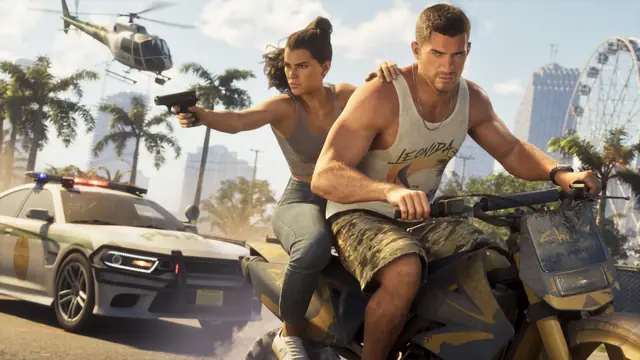
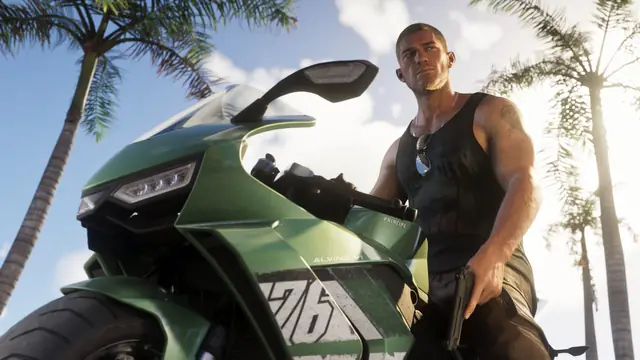
GTA 6 first person
GTA 6 has no first-person mode, but a glitch with the phone and the camera button locks the game in first person on PS5 and Xbox. Steps and limits.
By GTA6Wire StaffPublished 4 min read
On this page
GTA 6 has no first-person mode in its settings. Players found a way around that on launch day: a glitch with the in-game phone and the camera button locks Jason or Lucia in first person, and you can then walk, run, shoot and drive that way. It works on PS5 and Xbox Series X|S, it is not a feature Rockstar intended, and the only reliable way back to third person is to reload your save.
The trick spread from a post by the GTA 6 Countdown account on X on November 19, 2026, which had over 19,000 likes nine hours later. Pure Xbox tried it and confirmed that it works, and ComicBook.com credits the method to two YouTubers, oneboyler and OrangeGuy. We have not tested it ourselves yet, so the steps below follow those reports.
How to play GTA 6 in first person#
- Open Settings, go to the Controller tab and find the Touch Pad Button option (on Xbox, the View Button). Change it from Map to Camera.
- Get into a vehicle and sit in the driver's seat.
- Press Up on the d-pad to take out your phone.
- Put the phone away with Circle (PS5) or B (Xbox), and straight away press the touch pad (PS5) or the View button (Xbox) over and over.
- If the camera does not switch, repeat steps 3 and 4. Everyone who has written about it says it can take a few tries.
When it works, the camera stays behind Jason's or Lucia's eyes after you step out of the car. Pure Xbox says you can "run around, drive vehicles... do whatever you want to do", and ComicBook.com found it close enough to a normal setting that you can get through gunfights in first person.
How to switch back to third person#
There is no button for it: Pure Xbox found no way to back out of first person once the glitch is on. To get the normal camera back, reload your save or retry from a checkpoint. Pure Xbox noticed that a few situations reset the camera on their own, such as being arrested or going into a hair salon.
That also means you redo the glitch every time you load the game and want first person again. If you try it in the middle of a mission, save first so you have a clean point to reload.
What does not work yet#
The glitch shows that the game can already render a first-person view, but not that it is finished:
- Your character's arms and other body parts can clip through the camera, according to ComicBook.com.
- Pure Xbox says some items "don't seem to function properly" from this viewpoint.
As of November 20, 2026, Rockstar has not commented on the glitch. A patch could remove it, so it may stop working after an update.
The official first-person views#
Without the glitch, GTA 6 only gives you short first-person moments. Push Square and Insider Gaming both describe the same options:
- Look mode: hold L2 (LT on Xbox) and click R3 (the right stick) to look through your character's eyes. You cannot move, and you must keep L2 held. Press R2 to zoom in, which helps to read signs and store shelves.
- Aiming down sights: with a scope or reticle on your gun, press R3 while aiming. You can move and strafe this way. Push Square says optics are sold at Ammunation, under Attachments, then Optics.
- Vehicle cameras: hold Down on the d-pad in a vehicle and press Square to cycle through three chase cameras. They only change how far the camera sits behind the car; Push Square says you cannot drive in first person this way.
- Story scenes: a few moments in the story switch to first person for effect, but you cannot turn them on yourself.
Will Rockstar add a real first-person mode?#
Rockstar has not announced one. Its last two games point both ways. GTA 5 launched in 2013 without first person and got it with the PS4, Xbox One and PC versions, and Red Dead Redemption 2 had it from day one, as ComicBook.com notes. Pure Xbox reads the glitch as a sign that a first-person mode is in the works, and ComicBook.com suggests a PC version could be the moment for it, though Rockstar has not announced one. Those are guesses from outlets, not plans from Rockstar. We will update this page if Rockstar adds an official option or patches the glitch.
For other things you can unlock with button inputs, see our list of GTA 6 cheats, and for the systems Rockstar did confirm, our guide to GTA 6 gameplay features.
Frequently asked questions
Does GTA 6 have a first-person mode?
Not officially, as of November 20, 2026. The settings have no first-person option. Holding L2 and clicking R3 (LT and the right stick on Xbox) gives a first-person look while you stand still, and a glitch with the phone and the camera button can lock the whole game in first person.
How do you get out of first person after the glitch?
Reload your save or retry from a checkpoint. Players also report that some events, such as getting arrested or going into a hair salon, put the camera back in third person.
Does the first-person glitch work on Xbox?
Yes. Pure Xbox tested it on Xbox: set the View button to Camera in the controller settings and use the View button where PS5 players use the touch pad.
Sources
- A GTA 6 player discovered a method/glitch to play in first-person mode (GTA 6 Countdown on X, accessed )
- GTA 6 First-Person Glitch Discovered, And It Works On Xbox & PS5 (Pure Xbox, accessed )
- How to Play GTA 6 In 1st-Person Mode in 4 Simple Steps (ComicBook.com, accessed )
- GTA 6: How to Go First-Person (Push Square, accessed )
- Can You Switch to First-Person in GTA 6? Camera Options, Explained (Insider Gaming, accessed )
Spotted a mistake? Report a correction. See our editorial policy.